

Pop Stop Click and Collect: Setup Guide 2026
You want a Pop! Vinyl or a Pokemon TCG booster today, not in three days when the courier finally shows up. Click and collect solves that: order online through popstop.co.nz, pick a store, and walk out with the item the same day it's ready instead of waiting on a courier van.
- Pop Stop click and collect lets you order online and pick up in a physical store instead of waiting for courier delivery.
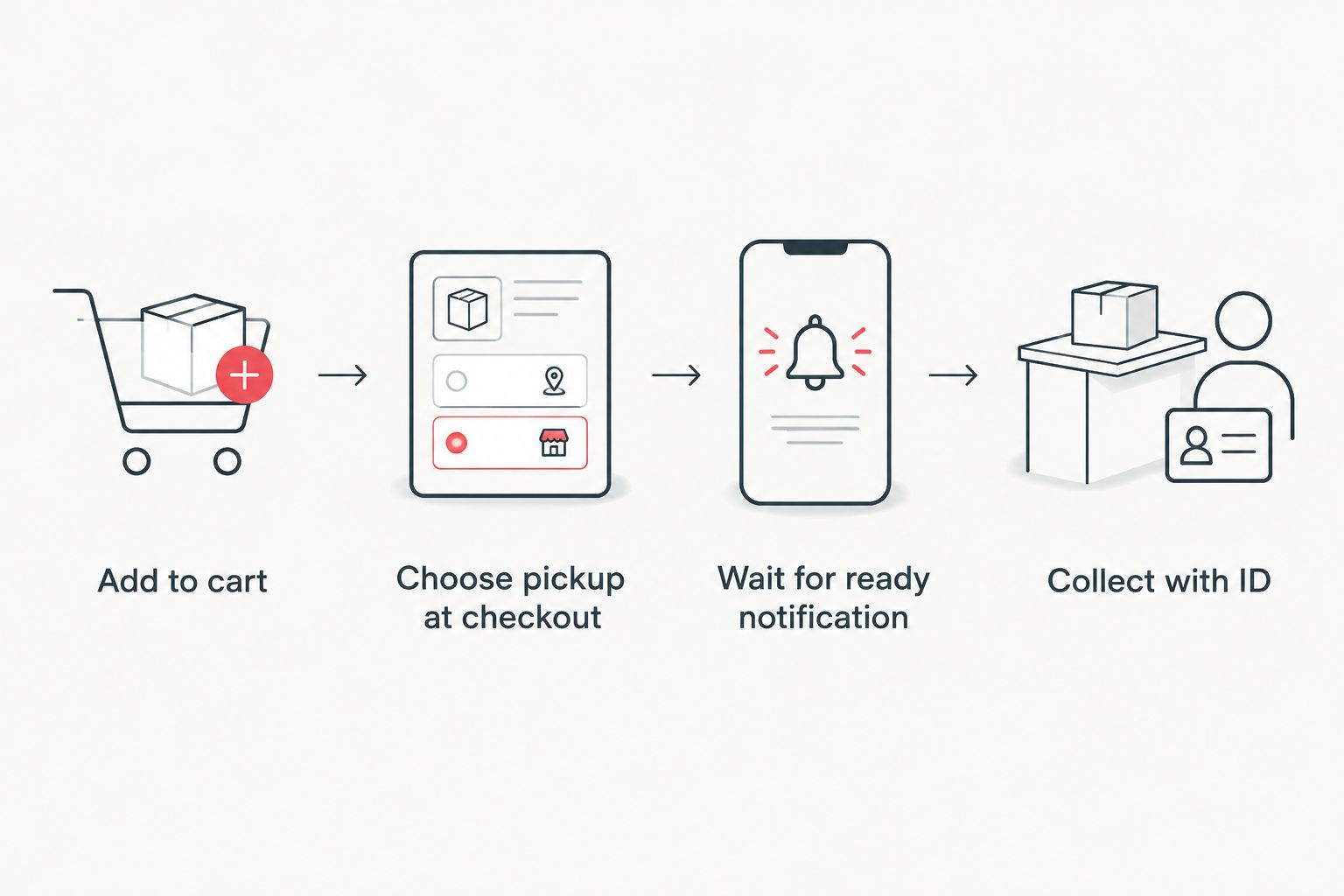
- Select the pickup option at checkout, choose your nearest Pop Stop location, then wait for a ready-for-pickup notification before heading in.
- Bring your order confirmation and ID that matches the name on the order — staff check both before handing items over.
- Pre-order and restock items sometimes ship to store separately from in-stock items, so check status per line item, not per order.
Why this matters
Shipping delays are the single biggest complaint on any collectables site — cards, blind boxes and Pop! Vinyls are small, high-demand, and often gone from a warehouse shelf faster than a courier can move them across town. Click and collect cuts the delivery step out entirely for anyone within driving distance of a Pop Stop store in 2026.
It also solves the damage problem. A boxed Pop! Vinyl or a graded-adjacent trading card single survives a five-minute drive home a lot better than a cardboard satchel bouncing around a delivery van for two days. If you collect Magic the Gathering singles, Pokemon TCG boosters or Gundam kits where box condition affects resale value, picking up in person removes the courier as a variable.
Before you start
- A Pop Stop account or guest checkout — either works, but an account lets you track pickup status without digging through email confirmations.
- Stock confirmed at your chosen store, not just "in stock" on the product page — online stock and in-store stock are tracked separately, and a page showing available doesn't guarantee that exact unit sits at your local shelf.
- The gotcha: mixed-cart orders (say, a Pokemon TCG booster plus a Gundam model kit) can split into two ready-for-pickup notifications if one item ships from a different location than the other. Don't drive to the store after the first email if your order has more than one item type — wait for confirmation that everything is ready, or you'll make two trips.
Set up your order for pickup
- Browse and add items to your cart as normal — anything from single Pokemon TCG boosters to a full blind box case qualifies if the store carries stock.
- Go to checkout. Look for the pickup toggle or tab near the shipping method section — it's usually labelled Pickup or Store pickup, sitting next to the Shipping option.
- Select Pickup instead of a delivery address.
- A store selector appears — choose the Pop Stop location closest to you. If an item isn't stocked there, the checkout will flag it before you pay.
- Complete payment as usual.
Expected result: your order confirmation shows a pickup address instead of a delivery address, and no shipping charge applies to the pickup portion of the order.
Choose your Pop Stop store at checkout
- On the store selector screen, check the location name carefully — some product lines (bulkier board games, larger statues) may only display at select stores based on shelf space.
- Confirm the pickup store before finishing checkout — you can't switch stores after payment without contacting support directly.
- Note the estimated pickup window if one is shown. Blind box and trading card restocks tend to be ready faster than pre-order or backordered statues, which wait on supplier shipments.
Expected result: the confirmation email lists the pickup store name and address, separate from your account details.
Track and collect your order
- Watch for a ready for pickup email or SMS — do not go to the store before this notification, especially for split orders.
- Bring the order confirmation (printed or on your phone) and photo ID matching the name on the order.
- Give your order number to staff at the counter or pickup desk.
- Check the item against your order before leaving the store — this is your last chance to catch a wrong variant or a damaged blind box seal.
Expected result: you walk out with your item and a receipt confirming the order is complete, no signature-on-delivery step required.
Reserve items for same-day pickup
A close variant worth knowing: if an item is showing in-store stock right now rather than a pre-order or restock, some checkouts fast-track the pickup notification to same-day instead of the standard multi-day window. This matters most for high-turnover stock like blind box mystery items and single boosters, where a shelf gets restocked and picked over within days. If the checkout shows a same-day pickup estimate, treat it as accurate — don't wait for a second confirmation before heading to the store.
Troubleshooting
- No pickup option appears at checkout. The item likely isn't stocked at any physical location and is online-only — swap to standard delivery or pick a different variant.
- Order confirmation shows a pickup store you didn't select. Contact support before travelling — checkout defaults to a store if the selector wasn't submitted, and it may not be your nearest location.
- Ready-for-pickup email never arrives. Check spam first; if it's genuinely stuck, call the pickup store directly with your order number rather than waiting indefinitely.
- Item unavailable when you arrive despite a ready notification. This happens rarely with high-demand singles picked up by another customer in error — staff should offer a substitute or refund on the spot.
- Split order, only half notified as ready. Wait for the second notification rather than making two separate trips — check the order page for per-item status instead of relying on a single email.


Customize your workflow
Once pickup is working for one-off orders, connect it to your rewards behaviour too — if you're already tracking points across online and in-store purchases, the guide to linking Pop Stop rewards to in-store and online purchases covers how those two systems talk to each other so pickup orders still earn and redeem correctly. Worth doing before your next big Pokemon TCG or Magic the Gathering haul in 2026 rather than after.
FAQ
How does Pop Stop click and collect work?
You order online at popstop.co.nz, select the pickup option at checkout instead of delivery, choose a store, and collect the item once you get a ready-for-pickup notification. No shipping charge applies to the pickup portion of the order.
Is click and collect faster than delivery?
Yes for in-stock items — pickup skips the courier network entirely, so items already on a store shelf can be ready the same day rather than waiting on transit time.
Do I need ID to collect a click and collect order?
Yes, bring photo ID matching the name on the order along with your order confirmation. Staff check both before releasing the item.
Can I switch a delivery order to pickup after checkout?
Not through the site directly — the pickup option has to be selected before payment. Contact the store or support team if you need to change it after ordering.
What happens if an item isn't in stock at my chosen store?
Checkout flags unavailable items before payment, so you'll see it before completing the order rather than after. Switch to delivery or pick a different store with stock.
Why did my order split into two pickup notifications?
Mixed carts sometimes ship from different stock locations, so each portion gets its own ready notification. Wait for both before travelling to collect everything in one trip.
Does click and collect cost extra?
No shipping fee applies to items collected in store — that's the main cost advantage over standard delivery.
Can pre-order items be picked up in store?
Yes, but pre-orders follow the supplier's release timeline rather than standard in-stock speed, so the ready-for-pickup window is longer and tied to when stock actually arrives.
One last thing
The detail that trips up the most first-time pickup customers isn't the checkout flow — it's showing up before the notification lands. Staff can't hand over an order that hasn't been pulled and checked against the confirmation yet, so a same-day drop-in without the email just means a wasted trip. Wait for the notification, then go.

