

Moxfield to MTG Singles NZ: The 2026 Shopping Workflow
Building a Magic: The Gathering deck in Moxfield is the easy part — hunting down the actual singles is where most Kiwi players lose an afternoon. Instead of retyping forty card names into a search bar one at a time, export the decklist once and turn it into a shopping list you can run against Pop Stop's Magic: The Gathering singles in under ten minutes.
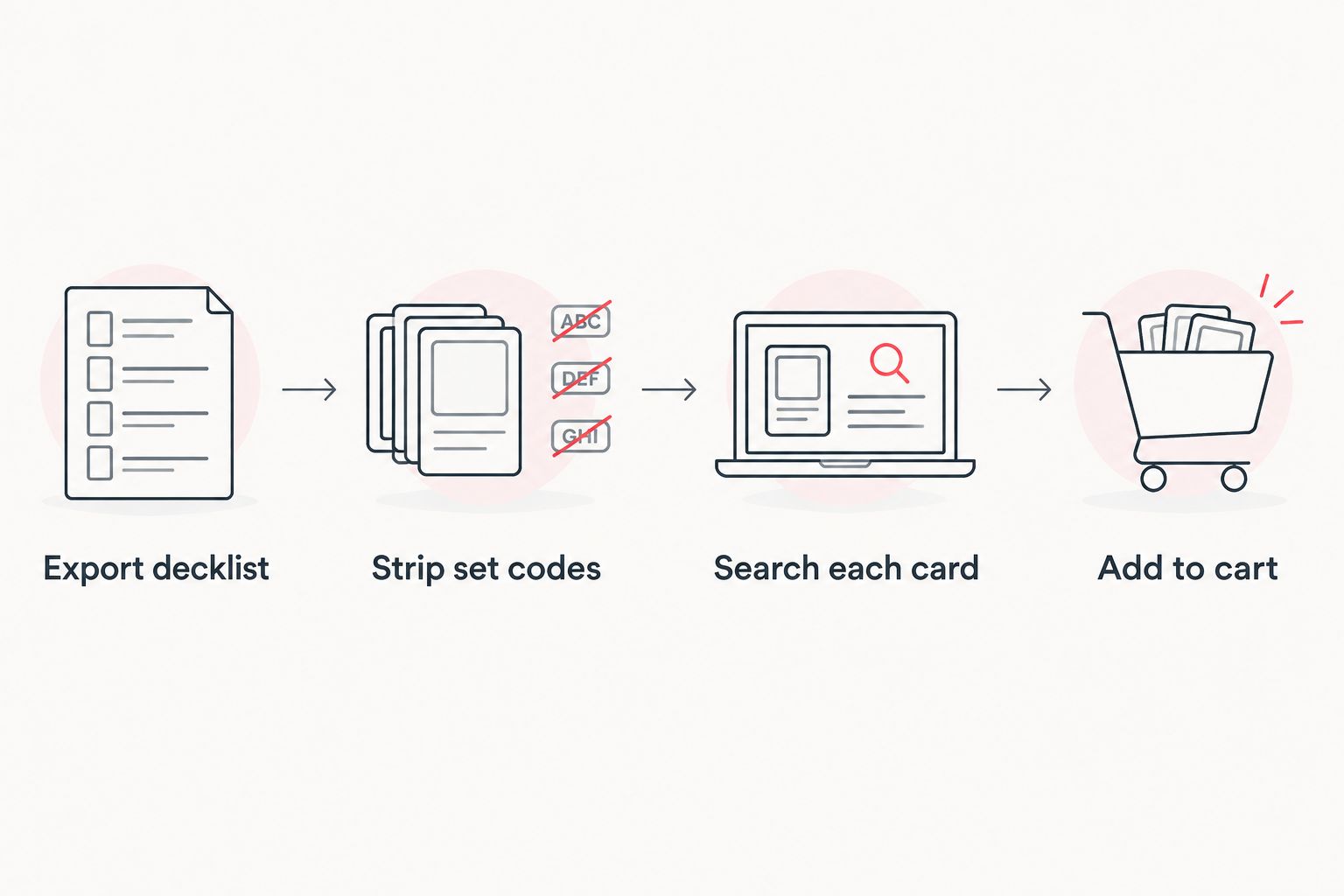
- Export a Moxfield decklist as text, then match it card-by-card against Pop Stop's Magic: The Gathering singles.
- Moxfield exports include quantities and set codes — strip those before searching or every result comes back empty.
- Pop Stop stocks precon pieces like the Reality Fracture Commander Deck and The Hobbit Gift Bundle alongside single cards.
- Re-run the export every time the deck changes — don't treat this as a one-off task in 2026.
Why this matters
Moxfield holds the deck, not the cards. Every edit — a swapped land, a new commander line, a sideboard tweak — creates a gap between what's on screen and what's in your binder. Doing that reconciliation by memory means duplicate orders, missed cards, or a deck that never actually gets built.
A repeatable export-to-shop workflow fixes that permanently. You build the list once in Pop Stop's Magic: The Gathering range, check it against Moxfield, and from then on you're only ever shopping for what changed.
Before you start
- A free Moxfield account with the deck already built or imported — this workflow assumes the decklist exists, not that you're building it from scratch.
- A rough idea of what you already own physically, so you're not reordering cards sitting in a binder at home.
- The gotcha: Moxfield's text export drops each line as "1 Lightning Bolt (M11) 149" — quantity, name, set code and collector number all mashed together. Paste that straight into a shop search and you'll get zero results on almost every card. Strip it down before you search, not after you've already given up on the tenth failed lookup.
Export your decklist from Moxfield
- Open the deck page and click the ... menu in the top right.
- Select Export, then choose the Text format (not Arena or MTGO — those add extra syntax you don't need for shopping).
- Copy the full list from the export window.
Expected result: a plain-text block, one card per line, each prefixed with a quantity and a set code in brackets.
Strip the export down to searchable names
- Paste the export into any text editor or spreadsheet.
- Delete the leading number and the trailing set code/collector number on each line — keep only the card name.
- Remove duplicate lines if the same card appears in mainboard and sideboard sections.
Expected result: a clean list of card names only, ready to run one at a time through a store search bar.
Match your list against Pop Stop's Magic: The Gathering singles
- Search each cleaned card name in Pop Stop's site search.
- For precon-heavy decks, check whether a full preconstructed product covers several cards at once — the Reality Fracture Commander Deck is a case where buying the whole deck can be faster than sourcing ten singles individually.
- For gift or bundle situations, The Hobbit Gift Bundle groups related cards together rather than making you search each one.
- Add every match to cart, and keep a running note of anything not currently stocked so you're not searching for it again next week.
Expected result: your Moxfield decklist becomes a completed, or near-complete, cart.
Refresh the workflow whenever the deck changes
Decks in Moxfield rarely stay static — a new set drops, a card underperforms, and you swap it. Instead of re-shopping the entire list every time, export again and diff the new text against your last saved version. Only the changed lines need a fresh search, which turns a ten-minute reorder into a two-minute one once the workflow is set up.


Troubleshooting
- Every search comes back empty. You forgot to strip the set code and collector number — a name like "Sol Ring (C21) 263" won't match anything. Cut it back to "Sol Ring" and search again.
- The list is longer than the deck should be. Your export pulled in the sideboard or maybeboard alongside the mainboard. Check the export settings in Moxfield and export mainboard only.
- A card name doesn't match any listing. Alternate-art or foreign-language printings sometimes carry suffixes Moxfield keeps but a shop listing drops. Search the base card name without the extra tag.
- You keep re-searching cards you already own. Keep a simple owned/needed column next to your cleaned export so the next refresh only touches new lines.
- Quantities don't add up across two decks sharing a card. Tally total copies needed across every active decklist before you order, not deck by deck.
Customize your workflow
Once the export-to-shop pass is routine, layer in the rest of the buying process. If you're picking up in person rather than waiting on shipping, the guide on click and collect at Pop Stop's NZ stores covers how to route an online cart to a physical pickup. And if you're buying singles regularly through 2026, checking how rewards apply to online purchases is worth doing before your cart total climbs.
FAQ
Can I import a Moxfield decklist directly into a shop cart?
Not automatically. Moxfield's text export gives you a clean list of card names, but you still search and add each match to your cart manually at Pop Stop.
What export format should I use from Moxfield for shopping?
Use the plain Text export, not Arena or MTGO formats. Those add extra syntax built for digital clients and make manual searching harder.
Why do my card searches return no results?
Moxfield's export includes quantities and set codes attached to each card name. Strip those off and search the bare card name instead.
Does Pop Stop sell full precon decks as well as singles?
Yes. Products like the Reality Fracture Commander Deck and The Hobbit Gift Bundle group several cards into one purchase rather than requiring individual singles.
How often should I re-run this workflow?
Every time you edit the decklist in Moxfield. A quick re-export after each change keeps your shopping list matched to the current build instead of an older version.
What's the best way to track cards I already own?
Keep a simple owned/needed column next to your cleaned export list. It stops you re-searching cards already sitting in your binder.
Can this workflow handle multiple decks at once?
Yes, but tally total copies needed across every deck sharing a card before ordering — otherwise you'll undercount or duplicate an order.
One last thing
The single biggest time cost in this whole workflow isn't the searching — it's re-searching cards you've already checked because the export wasn't cleaned properly the first time. Spend the extra ninety seconds stripping set codes before you start, and the rest of the process runs in a straight line from Moxfield to cart.

